728x90
ERROR 내용
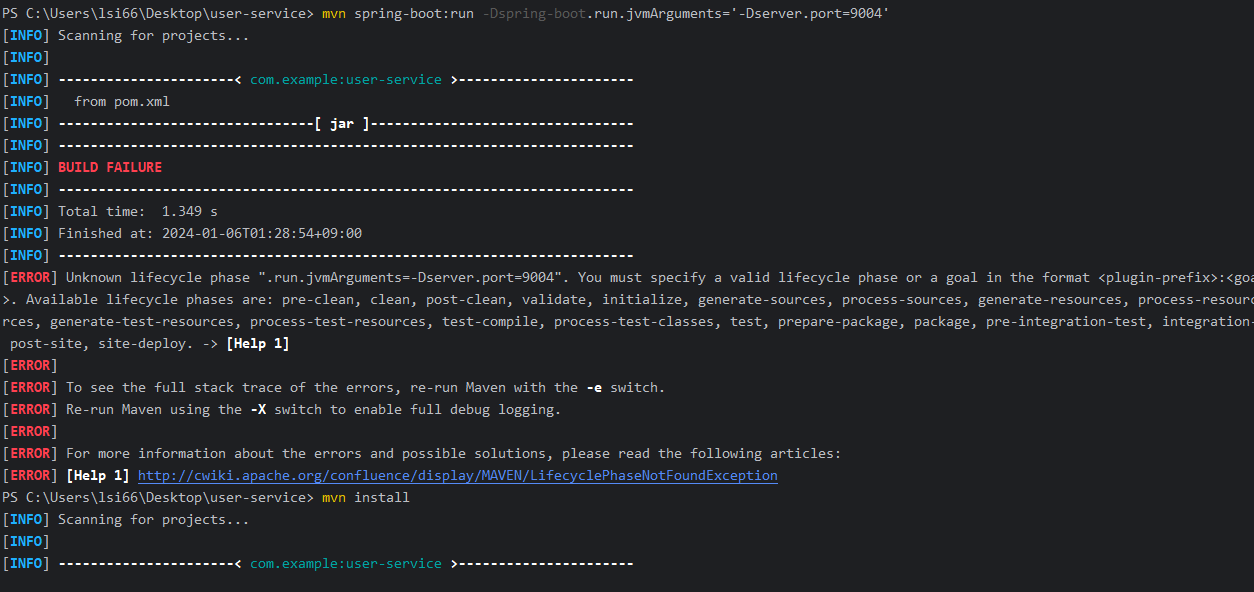
mvn spring-boot:run -Dspring-boot.run.jvmArguments='-Dserver.port=9004'으로 터미널에서 9004 새로운 port로 기동하려 했으나, 오류가 떳다.
해결
1. mvn install
오류메시지를 따라서 홈페이지에 들어가 순서대로 mvn을 설치 해줬다.
[ERROR] [Help 1] http://cwiki.apache.org/confluence/display/MAVEN/LifecyclePhaseNotFoundException
- Invoke a lifecycle phase, e.g.
This runs the lifecycle phase install and all its predecessor phases like compile and test. Please see Introduction to the Build Lifecycle for more information about available lifecycle phases.
mvn install - Invoke a plugin goal via the plugin prefix, e.g.
Eventually, the plugin prefix translates to a group id and artifact id of a plugin. Maven resolves plugin prefixes by first looking at the plugins of the current project's POM and next by checking the metadata of user-defined plugin groups.
mvn compiler:compile - Invoke a plugin goal via the versionless plugin coordinates, e.g.
To resolve the plugin version, Maven will first check the project's POM and fallback to the latest release version of the plugin that was deployed to the configured plugin repositories.
mvn org.apache.maven.plugins:maven-compiler-plugin:compile - Invoke a plugin goal via the fully qualified plugin coordinates, e.g.
mvn org.apache.maven.plugins:maven-compiler-plugin:2.0.2:compile
2. 명령어 변경
아래 처럼 명령어를 변경해 주었더니 잘된다.
따옴표가 변경되었다.
변경 명령어
mvn spring-boot:run '-Dspring-boot.run.jvmArguments="-Dserver.port=9004"'
기존 명령어
mvn spring-boot:run -Dspring-boot.run.jvmArguments='-Dserver.port=9004'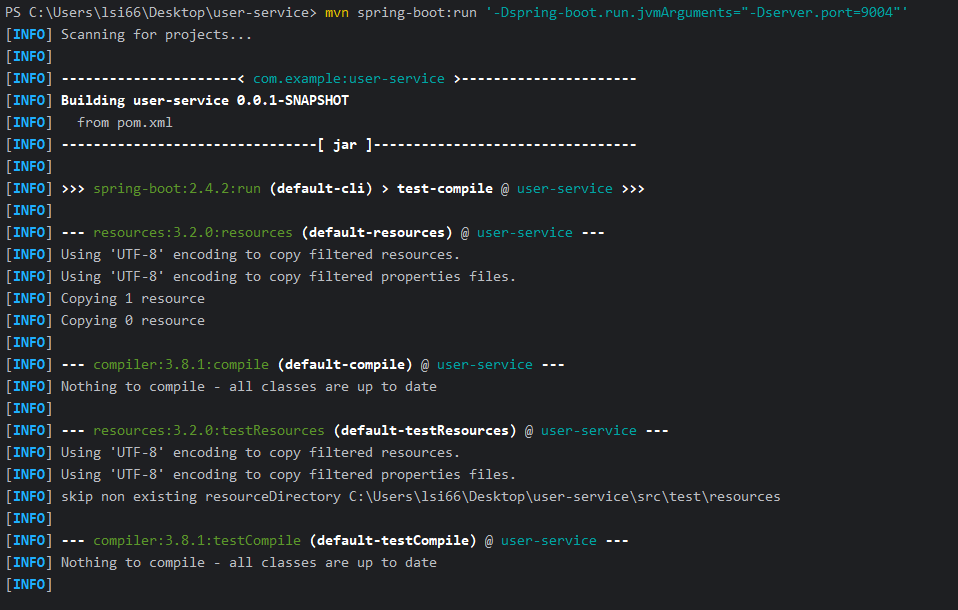
💬 혼잣말
해결방법 1, 2를 순서대로 진행해야 하는 것인지, 명령어만 바꿔주기만 하면 되는지는 알 수 없다.
다음에 하시는 분들이 있다면 명령어만 바꿔서 먼저 해보는 것을 추천한다.
728x90